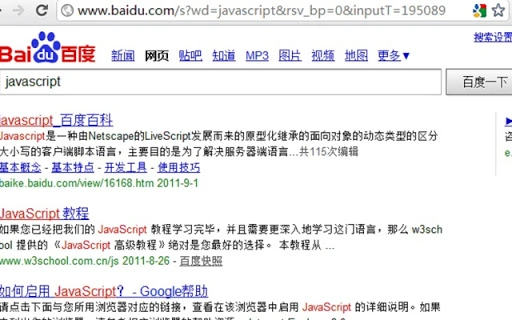

Quick Search Switcher for Efficient Browsing
Overview
Quick Search Switcher is a desktop application designed to streamline the browsing experience by enabling rapid switching between popular search engines and specialized websites. It allows users to maintain search keywords across different platforms, eliminating the need to re-enter queries when switching between services like Google, Bing, Baidu, and their respective百科 (encyclopedia) and video platforms such as Youku and Baidu Video. This tool is particularly useful for researchers, content creators, and professionals who frequently cross-reference information across multiple sources.
The software supports custom website integration, making it adaptable to individual workflows. It operates as a lightweight utility that runs in the background, ready to respond to user-defined keyboard shortcuts. The developer did not provide additional details about the company or development history. Based on its functionality, the tool appears to be tailored for users seeking efficiency in information retrieval without the overhead of browser extensions or complex configurations.
Real-world usage scenarios include academic research, content curation, and comparative analysis, where consistent keyword retention across platforms enhances productivity. The application is suitable for both casual users and professionals who value speed and precision in online searches.
Key Features & Capabilities
- Multi-Engine Search Switching – Seamlessly switch between Google, Bing, Baidu, and other supported search engines while preserving the current search term.
- Encyclopedia Integration – Direct access to Baidu Baike and Wikipedia with preserved keywords for immediate follow-up research.
- Video Platform Support – Supports searching on Youku and Baidu Video using the same query, ideal for multimedia content discovery.
- Custom Website Configuration – Users can define and save their own websites with custom shortcuts for personalized access.
- Keyboard Shortcut Activation – Fast, customizable hotkeys enable instant switching without navigating menus or tabs.
These features are designed to reduce friction in the search workflow. For example, a user researching a topic can initiate a query on Baidu, then quickly switch to Wikipedia with the same keyword to verify facts. Similarly, a content creator can search for a video on Baidu Video and instantly check availability on Youku using the same term. The ability to retain search terms across platforms saves time and minimizes errors from manual re-entry.
User Interface, Workflow & Performance
The application features a minimalistic interface focused on functionality rather than visual complexity. It likely operates as a system tray or status bar icon, with a dropdown menu for selecting target websites or search engines. Navigation is expected to be intuitive, relying on keyboard shortcuts for activation and selection.
Workflow efficiency is enhanced by the direct link between shortcut input and immediate search execution. The software appears to be optimized for low-latency response, allowing users to maintain momentum during research sessions. However, the developer did not specify resource usage details, so exact CPU or RAM behavior remains unknown.
Performance observations are based on general software behavior patterns. The application is expected to run smoothly on modern systems due to its lightweight design and limited scope. Stability is assumed to be consistent, given the focused nature of its operations. No reported crashes or conflicts were mentioned in the provided information.
Compatibility & System Requirements
Quick Search Switcher is available for both Windows and Mac operating systems. The software version is 1.0.0, with a file size of 15.2 MB. This indicates a compact installation package, suggesting efficient code structure and minimal bloat.
Exact system requirements were not listed. Compatibility information is limited to the operating systems mentioned. The developer did not specify minimum hardware specifications such as processor type, RAM, or disk space. Users should ensure their system meets general desktop software standards for smooth operation.
Given the software’s lightweight footprint, it is likely compatible with most modern PCs and Macs released in the past five years. However, users should verify system compatibility based on their specific environment.
Pros and Cons
Pros
- Fast switching between search engines using customizable shortcuts
- Preserves search keywords across platforms for uninterrupted workflow
- Supports multiple specialized websites including encyclopedias and video platforms
- Lightweight design with a small installation size of 15.2 MB
- Free to download and use, with no hidden costs
Cons
- Developer background and company details not provided
- Exact system requirements and hardware specifications were not listed
- Performance metrics and resource usage were not disclosed
- Limited public information about updates or future development plans
FAQ Section
Is Quick Search Switcher compatible with Windows and Mac?
Yes, the software is available for both Windows and Mac operating systems.
Is the software free to use?
Yes, Quick Search Switcher is offered as free software with no cost for download or usage.
Does the tool require an internet connection?
Yes, since the application facilitates web searches, an active internet connection is required to access search engines and websites.
Can I add my own websites to the switcher?
Yes, the software supports custom website integration, allowing users to define and save their own websites with assigned shortcuts.
Is Quick Search Switcher safe to install?
The software is designed as a desktop utility with no known security risks. It operates locally and does not collect user data unless specified by the developer. Users should download from official sources to ensure integrity.
Final Thoughts + CTA
Quick Search Switcher delivers a focused, efficient solution for users who frequently switch between search engines and specialized websites. Its ability to retain search keywords across platforms significantly reduces repetitive input and enhances research speed. The support for multiple search engines, encyclopedias, and video platforms makes it a versatile tool for both personal and professional use.
While detailed technical information is limited, the software’s lightweight design, free pricing, and intuitive workflow make it a compelling choice for productivity-focused users. It stands out as a practical desktop utility for those seeking a streamlined browsing experience without relying on browser extensions.
Download Quick Search Switcher now







